
Billing and pricing
Manage billing and auto top-up in HQ
Group admins manage the group's card, wallet, monthly rental, invoices and automatic top-ups from one page in HQ.
Who can use it
Select Billing and auto top-up under Venue in the venue menu. Only group admins can change anything here. Venue admins can see the balance and history but cannot change the card.
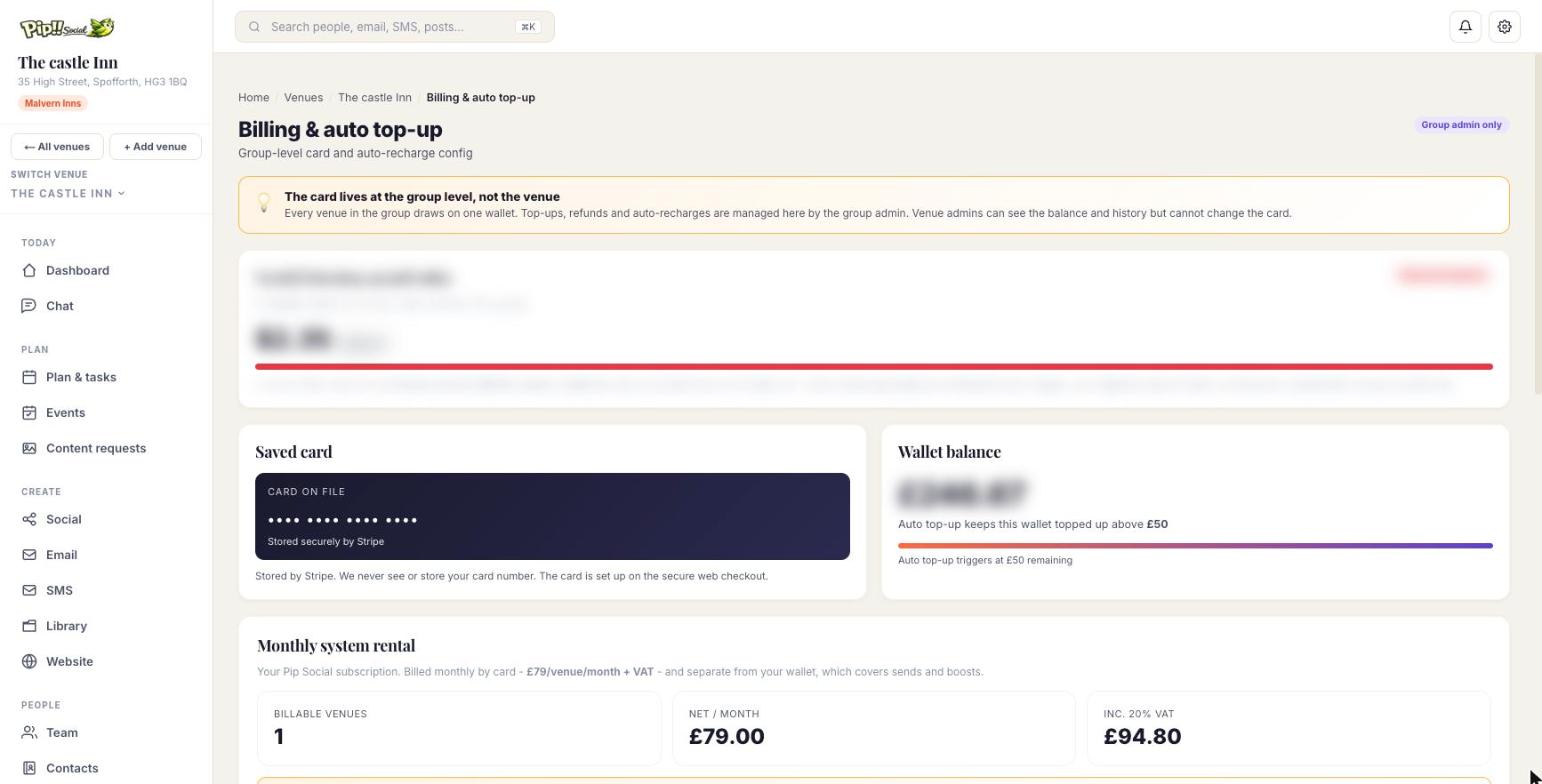
The card belongs to the group, not the venue. Every venue in the group draws on one wallet.
Saved card
The card on file is stored securely by Stripe, our payment provider. Pip Social never sees or stores your card number. You add the card through a secure web checkout.
Wallet balance
The wallet pays for sends and boosts. The card shows the current balance and the level that triggers an automatic top-up.
Monthly system rental
Your Pip Social subscription is billed monthly by card per venue, plus VAT. It is separate from the wallet. This section shows how many venues are billed and the monthly cost with and without VAT. The same card pays for both the rental and wallet top-ups.
Rental invoices
Once your first monthly rental is charged, your invoices appear here to download.
Auto top-up
When the wallet drops below the trigger amount, your card is charged the recharge amount, up to a monthly ceiling.
Trigger at: the balance that starts a top-up.
Recharge amount: how much is added each time.
Monthly ceiling: the most that can be charged automatically in a month.
Tick the consent box to allow automatic charges, then select Save changes. You can withdraw that consent at any time.
For more detail, see Manage automatic top-ups and Subscription versus credits in the Billing section of the help centre.