
Contacts and audiences
Change email and SMS preferences
Understand why a contact can receive one channel but not the other.
Open the contact
Find the person in Contacts and open their details.
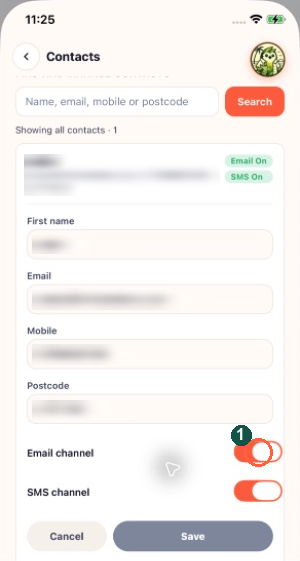
The marker highlights Email channel. Email and SMS preferences are separate: inspect both before assuming this person can receive both kinds of campaign.
Inspect each channel
Look at Email channel and SMS channel. The image highlights Email channel; SMS has its own control further down. Turning one on does not turn on the other.
Make the appropriate change
Switch off a channel when the person no longer wants it. To restore a blocked channel, follow Asked to opt back in and the reason field where required. Do this only for a real request from that person.
Save and verify
Tap Save and check the updated email/SMS indicators. Eligible recipient counts can still differ because the contact also needs usable details for the chosen channel.