
Getting help
Fix failed publishes in HQ
Failed publishes lists anything that did not go through after Pip's automatic retries, so you can retry it, change it and resend, or discard it.
What it shows
When something Pip was doing for the venue fails, Pip tries again automatically. If it still fails, it lands here. Select Failed publishes under Results in the venue menu.
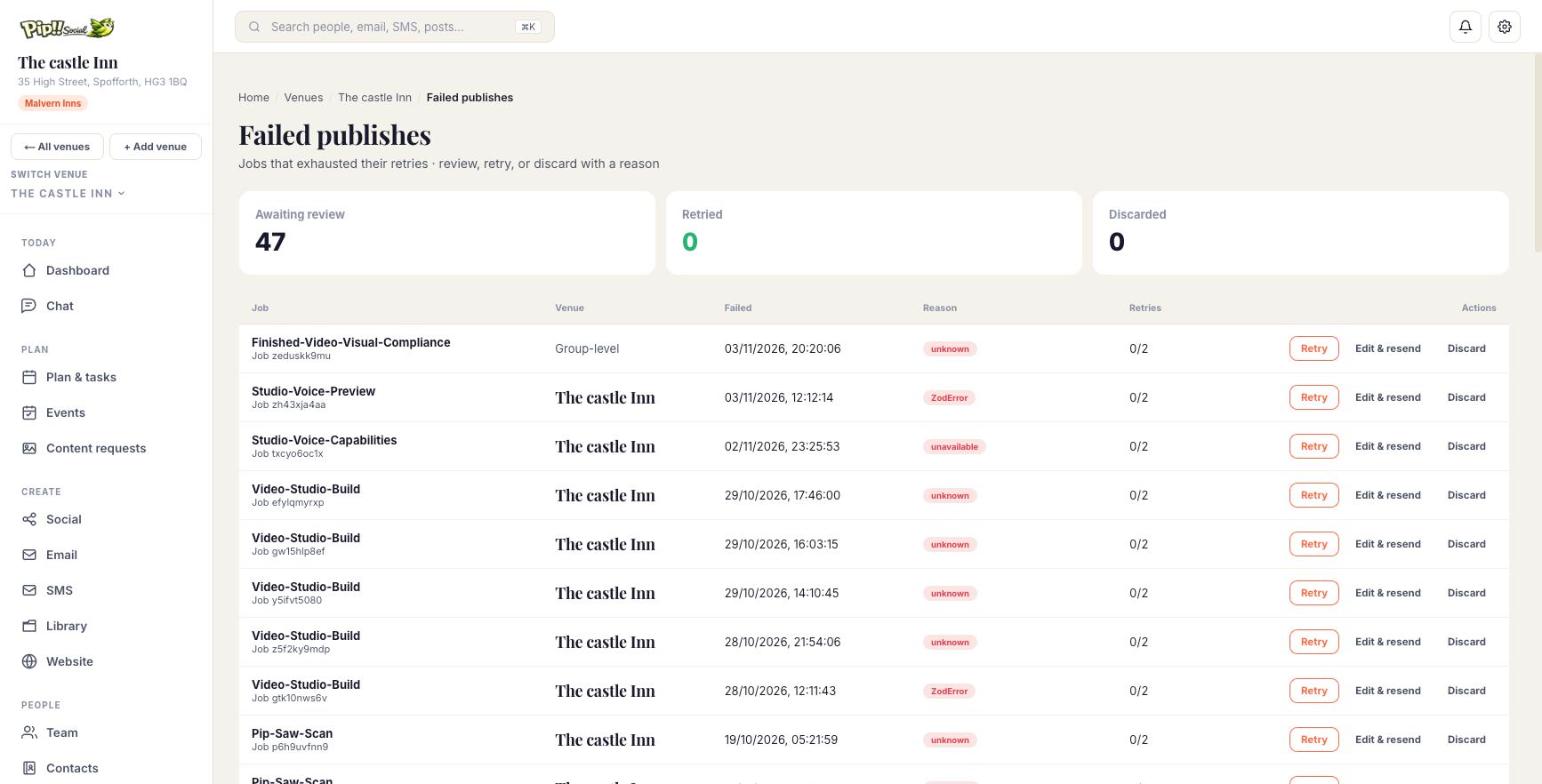
The three counts
Awaiting review: failures nobody has dealt with yet.
Retried: ones you have sent again.
Discarded: ones you have decided to drop.
Reading the list
Each row shows what failed, which venue it belongs to (or Group-level if it covers the whole group), when it failed, the reason, and how many automatic retries were used.
What you can do
Retry: try it again exactly as it was.
Edit and resend: change the details, then send it again.
Discard: drop it. You will be asked for a reason.
If the same thing keeps failing, raise a ticket through Help centre so the Pip Social team can look into it.