
Getting started
Find your way around Pip Social
Find your work, create marketing and open the settings for the right venue.
Start in the right venue
Check the venue shown at the top of the app before creating or changing anything. Use Switch venue if you work at more than one venue.
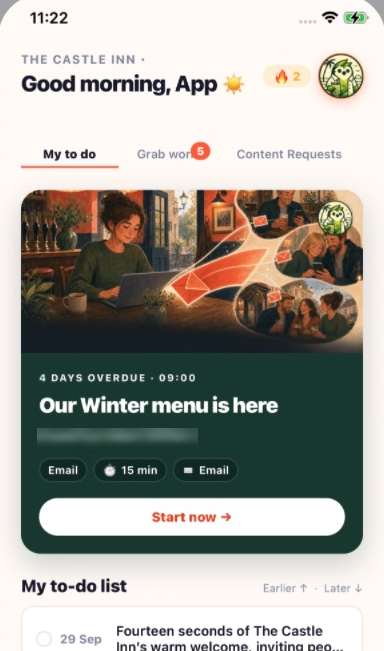
Home brings together your current work and the bottom navigation. Open the relevant tab for the task you need.
Find the work that matters
Home shows the work available to your role. Open a task to see the brief and next action. Contributors capture content; marketing team members turn it into campaigns; general managers organise the team and plan.
Create something new
Open the action menu and choose the kind of work you want to create, such as an email, SMS or social post. The choices you see depend on your access.
Use the main sections
Plan organises activities and content requests. Academy helps you practise skills. Insight shows results. Chats connects your team. Settings contains account, venue and marketing controls. Contributors have a simpler experience, so you may not see every section.
Get help without leaving your work
Tap the orange question mark beside a control to open its guide. Scroll inside the panel and close it to continue where you were. Ask Pip when you need ideas or help understanding a feature.