
Photos and images
Manage a venue's photos and videos in the HQ Library
Upload, search and sort a venue's photos and videos into folders so the team and Pip can use them in posts, emails and videos.
Where to find it
Select Library under Create in the venue menu. The Library holds every photo and video for the venue. Anything here can be used in posts, emails, texts and videos.
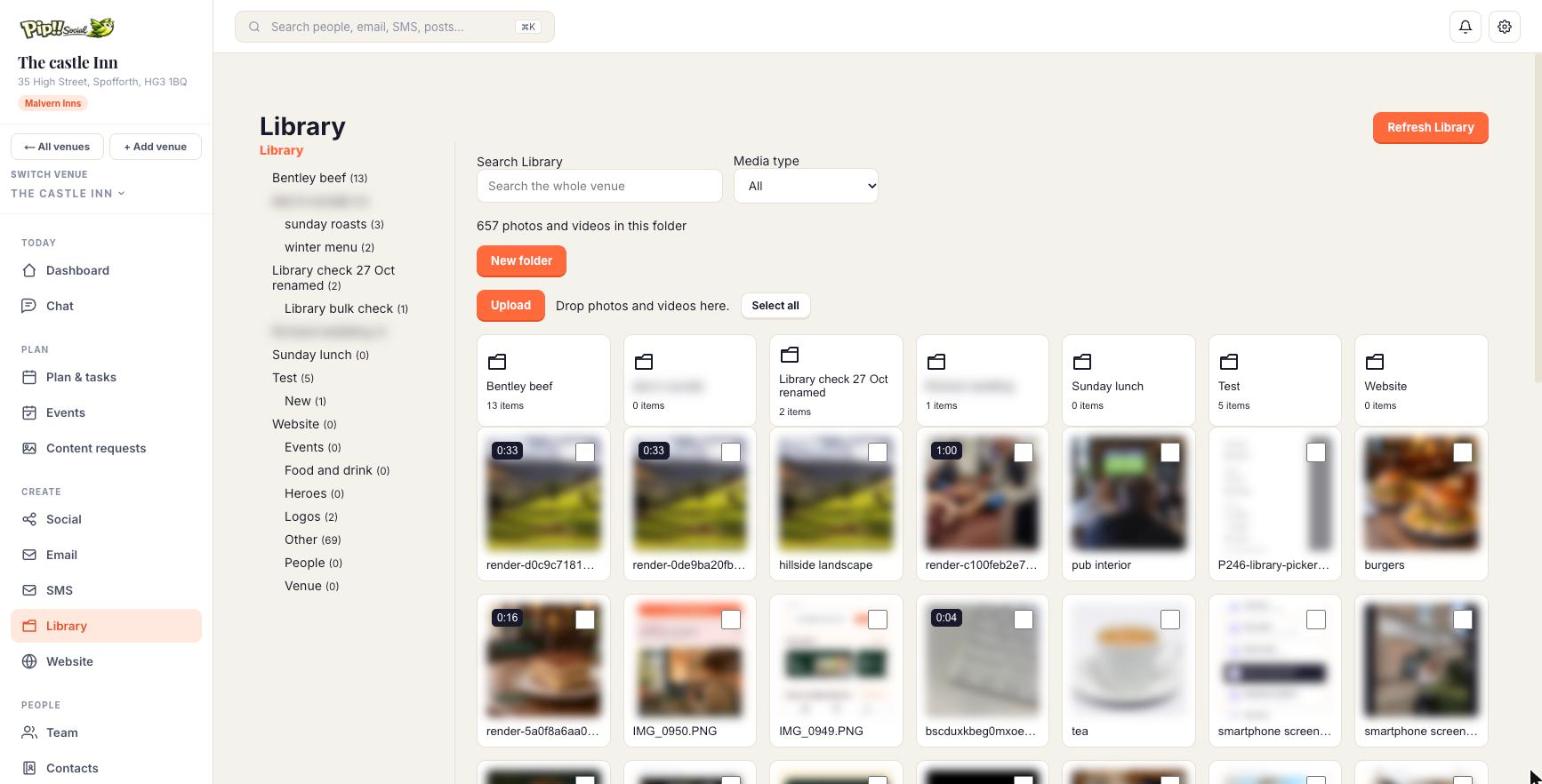
Folders
The list on the left shows the venue's folders, with the number of items in each. Folders can sit inside other folders. Select a folder to see only what is in it. Folders also appear as cards at the top of the grid.
To make a new folder, select New folder.
Adding photos and videos
Select Upload to choose files from your computer, or drag photos and videos onto the page where it says Drop photos and videos here.
Finding something
Search Library: type a word to search the whole venue.
Media type: show All, only Images or only Videos.
The line above the buttons tells you how many photos and videos are in the folder you are looking at. Videos show their length in the corner.
Selecting items
Tick the box on an item to select it, or use Select all to select everything shown.
Refresh Library
If something the team has just added does not appear yet, select Refresh Library at the top right.