
Insight and results
See everything a venue has posted and sent in HQ
The Content page lists every social post, email and text a venue has scheduled or published, with its latest figures.
Where to find it
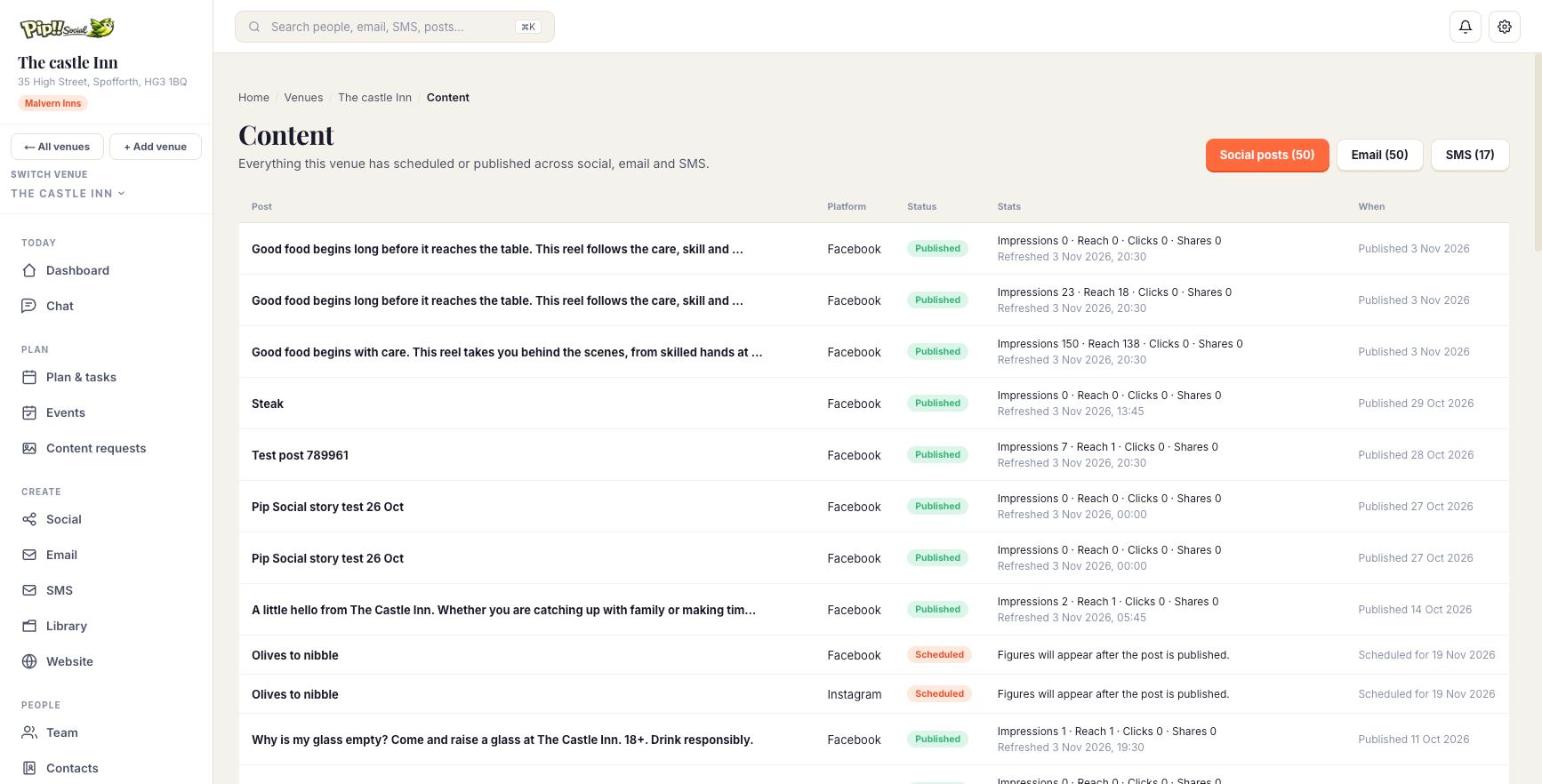
Select Content under Results in the venue menu. It is one list of everything the venue has scheduled or published.
Switching between channels
Use the three buttons at the top right to switch between Social posts, Email and SMS. Each shows how many items it holds.
Reading the list
Post: the start of the post, email or text.
Platform: where it went, such as Facebook or Instagram.
Status: Published, or Scheduled if it has not gone out yet.
Stats: for social posts, impressions, reach, clicks and shares, with when the figures were last refreshed.
When: the date it was published, or the date it is scheduled for.
Scheduled posts show their figures once they have been published.
Where to look next
For trends over time, see Insights and Growth. For anything that did not go out, see Failed publishes.