
What Pip sees
Manage the venues Pip follows
Follow the right local venue and confirm its actual social pages.
Open the followed-venue area
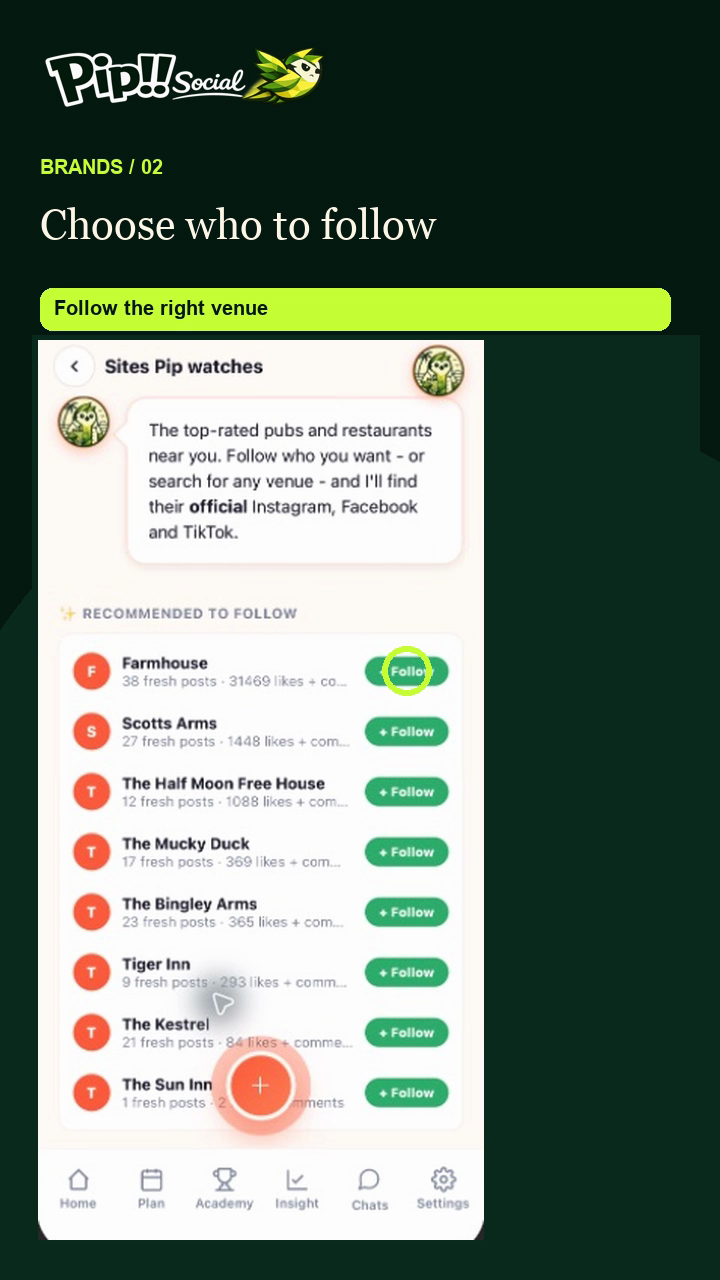
Open the followed venues or brands shortcut under Your marketing. Pip shows recommended venues and Search for a venue.
The ring highlights + Follow beside a recommended venue. Select the venue you actually want Pip to watch.
Choose the venue
Use a recommendation or search by name and location. Check the place is the one you mean before tapping + Follow.
Inspect the pages
Look under Following. Verified pages have been confirmed; Needs confirm requires your attention. Open the suggested page and use Confirm only when it belongs to the right venue. Use Reject for a wrong match.
Add a missing page
Use Add manually where offered and enter the correct page information. Check the page rather than relying on a similar name.
Remove a venue
Tap Remove on the followed venue you no longer want to watch. Check the result. Following is for inspiration; it does not give your team access to another venue's account.