
What Pip sees
Reply to reviews and comments from HQ
Social listening gathers a venue's reviews, comments, mentions and messages in one place, with a reply drafted by Pip for each.
Where to find it
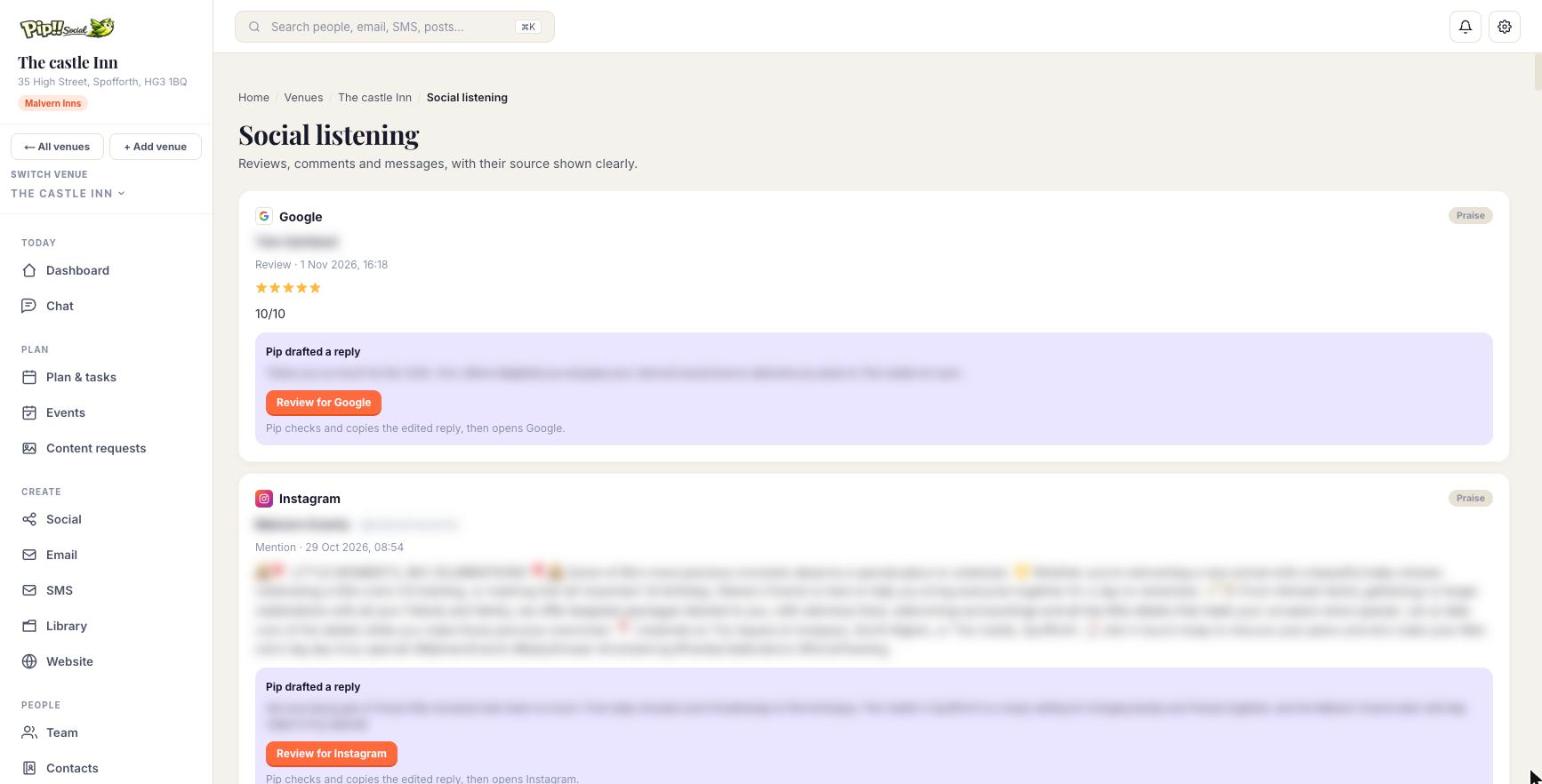
Select Social listening under Results in the venue menu. You will see the venue's reviews, comments, mentions and messages, newest first, each with its source shown clearly.
Reading each card
Source: where it came from, such as Google, Instagram, Facebook or TripAdvisor.
Type and date: whether it is a review, mention, comment or message, and when it arrived.
Label: top right, Pip sorts each one, for example Praise or Question.
The message itself, with star ratings for reviews.
Replying
Pip drafts a reply for each one, written in the venue's voice. Read it, then select the Review for button, such as Review for Google. Pip checks and copies your edited reply, then opens that site so you can paste it and post it there.
While Pip is still writing, the card says Pip is drafting a reply.
Staying on top of it
Growth shows how many comments and reviews have gone 48 hours without a reply. Aim to keep that number at zero.