
SMS
Send a text message from HQ
Start a text from scratch or ask Pip to write it, and see what is in progress, scheduled and already sent.
The SMS workspace
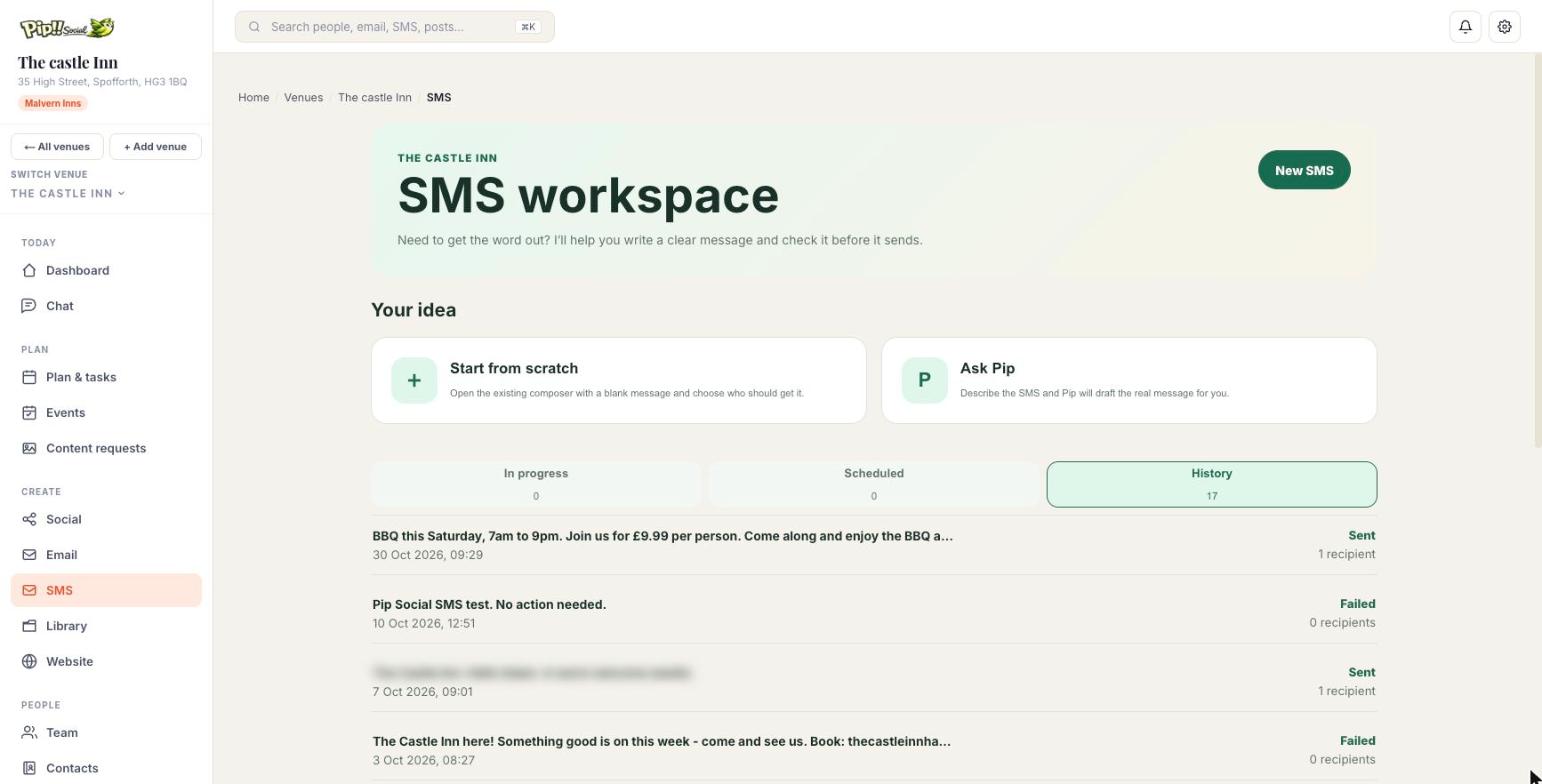
Select SMS under Create in the venue menu. This is where you start new texts to your customers and see every text the venue has sent.
Starting a text
Under Your idea, choose how to begin:
Start from scratch: opens the composer with a blank message, then you choose who gets it.
Ask Pip: describe the text and Pip drafts the real message for you.
You can also select New SMS at the top right. Pip checks every message before it sends.
Your texts
Three tabs sit below the buttons:
In progress: texts you have started but not sent.
Scheduled: texts set to go out later.
History: texts already sent, newest first.
Each text shows the start of the message, the date and time, whether it Sent or Failed, and how many people it went to. Select a text to open it.
If a text failed
A text marked Failed did not go out. Start a new text to try again, and raise a ticket through Help centre if it keeps failing.