
Your team and venues
Read your estate overview in HQ
See how every venue in your group is doing on one page, and where to act first.
Open the estate overview
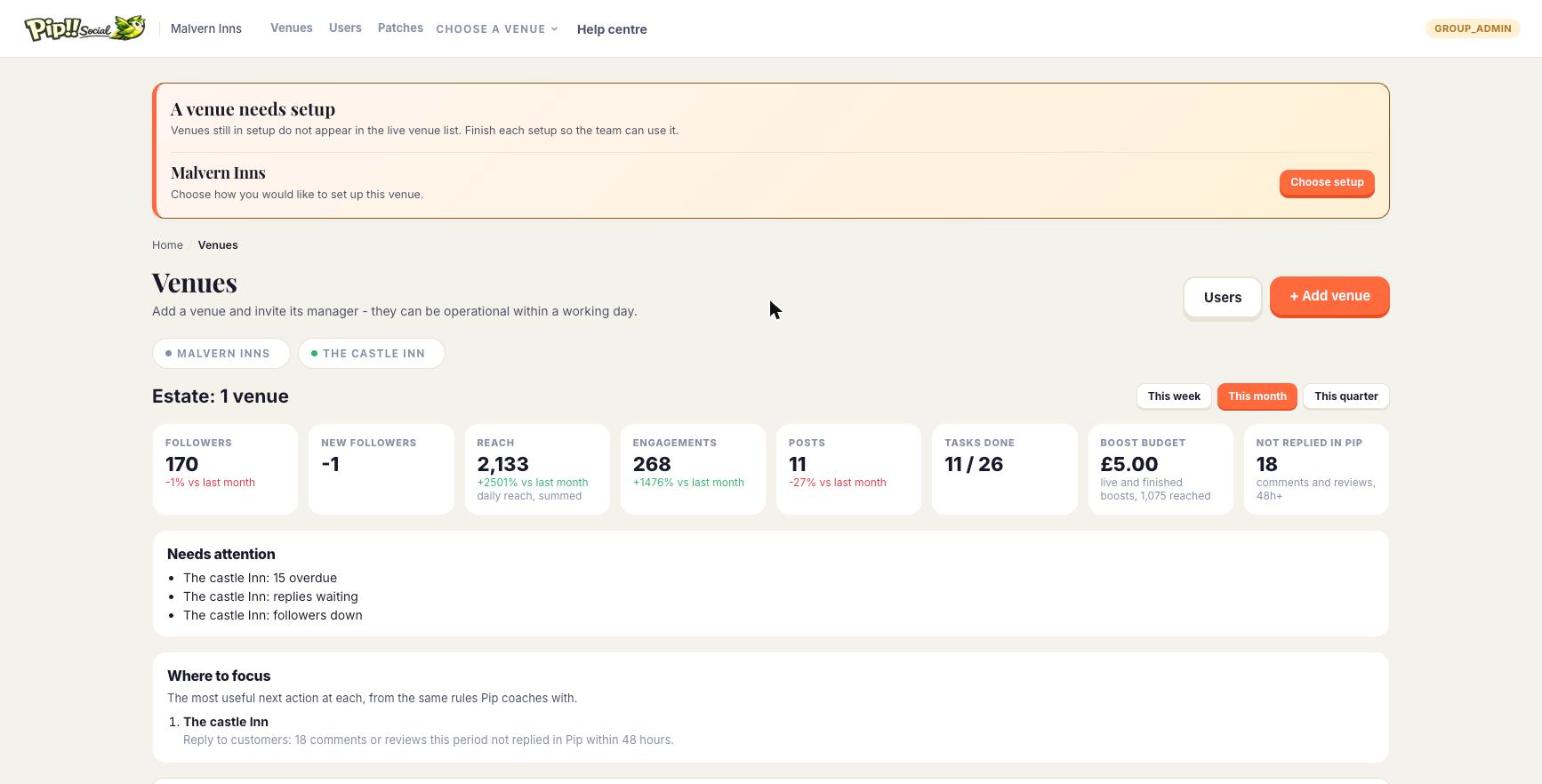
Sign in at hq.go-pip.com. The first page, Venues, shows every live venue in your group with its headline results for the period you choose. Use it to see how the whole estate is doing before you open a single venue.
Choose the period
Use This week, This month or This quarter at the top right of the figures. Every number, list and chart on the page changes to that period, and the small coloured line under a figure compares it with the period before.
Read the headline figures
Followers: the latest follower count across your venues.
New followers: the change over the period.
Reach and Engagements: daily page and profile figures added up across the period.
Posts: posts that went out in the period.
Tasks done: plan tasks finished out of those set.
Boost budget: money in live and finished boosts, and how many people they reached.
Not replied in Pip: comments and reviews left without a reply in Pip for more than 48 hours.
Act on what needs attention
Needs attention lists anything slipping at each venue, such as overdue tasks, replies waiting or followers going down. Where to focus gives the single most useful next action for each venue, using the same rules Pip coaches your teams with.
Compare your venues
Scroll down for charts of followers, reach, posts and task completion, then the league table. The league table ranks venues by growth: follower change, reach per post, engagement per post and task completion. Last period's figures show in grey.
Finish a venue still in setup
A venue still being set up does not appear in the live list. It shows in the orange A venue needs setup box at the top. Choose setup to finish it so the team can start using it.
Get the overview by email
Pip emails you this page every Monday at 7am. Use Switch it off at the bottom of the page if you would rather not receive it.