
Your team and venues
Manage everyone in your group from HQ
The Users page lists everyone across your venues, with their user type and venues, so you can invite people, change their role and add them to venues.
Where to find it
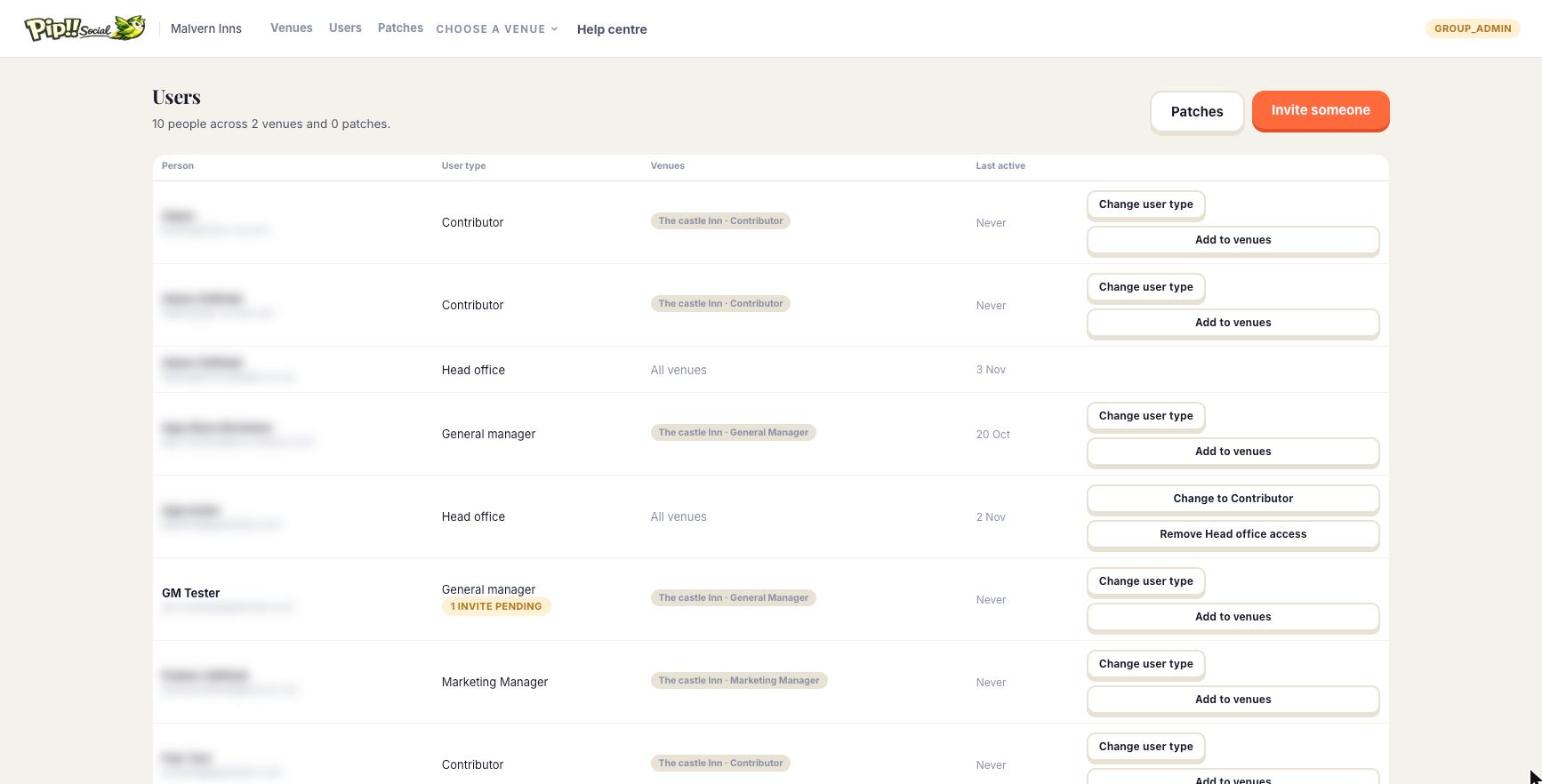
In HQ, select Users in the menu along the top. The page tells you how many people there are across your venues and patches.
Reading the list
Person: their name and email.
User type: for example Head office, General manager, Marketing Manager or Contributor. Invite pending means they have not accepted yet.
Venues: which venues they work at and their role at each. Head office users see All venues.
Last active: when they last used Pip Social, or Never.
What you can do
Invite someone: add a new person to the group.
Change user type: change someone's role.
Add to venues: give someone access to more venues.
Change to Contributor or Remove Head office access: for head office users, step their access down.
To manage people one venue at a time, use Team inside that venue instead. The Patches button takes you to your patches.