
Your team and venues
Use the go-live checklist for a venue
See what is done and what is left before a venue goes live, and jump straight to each step from the venue home page in HQ.
What the checklist is for
When you open a venue in HQ, the first thing you see is the Go-live checklist. It shows what is done and what is left before the venue can go live, so you always know the next step.
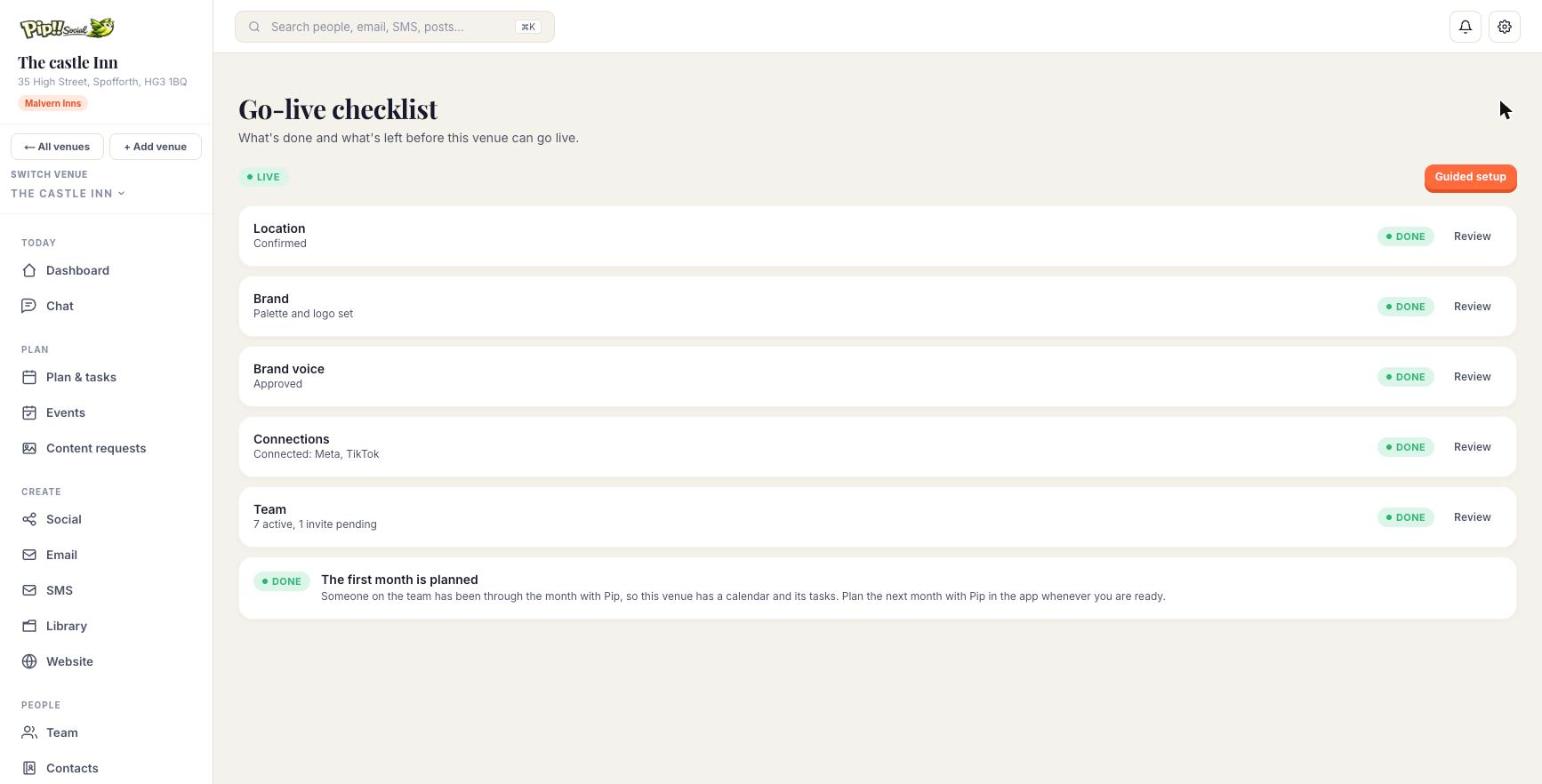
The five steps
Location: the venue's address is confirmed, so posts and local reach use the right place.
Brand: the colours and logo are set, so everything Pip makes looks like the venue.
Brand voice: the way the venue talks is approved, so Pip writes in that voice.
Connections: the venue's social accounts, such as Meta and TikTok, are connected so Pip can post.
Team: staff have been invited. The row shows how many are active and how many invites are still waiting.
Reading each row
Each row shows a green DONE badge when that step is complete. Select Review on any row to open that step and check or change it. If a step is not done yet, it shows what is missing so you can finish it.
Guided setup
Select Guided setup at the top right to walk through every step in order. This is the quickest way to set up a new venue from start to finish.
The first month is planned
The last card shows whether someone on the team has planned the venue's first month with Pip. Once done, the venue has a calendar and tasks. Plan each following month with Pip in the app whenever you are ready.
Going live
When every step is done, the venue shows a green LIVE badge under the heading.