
Your monthly plan
Ask the team for photos and videos from HQ
Send a content request so the venue team captures the photos and videos you need, then review what they add.
Your requests
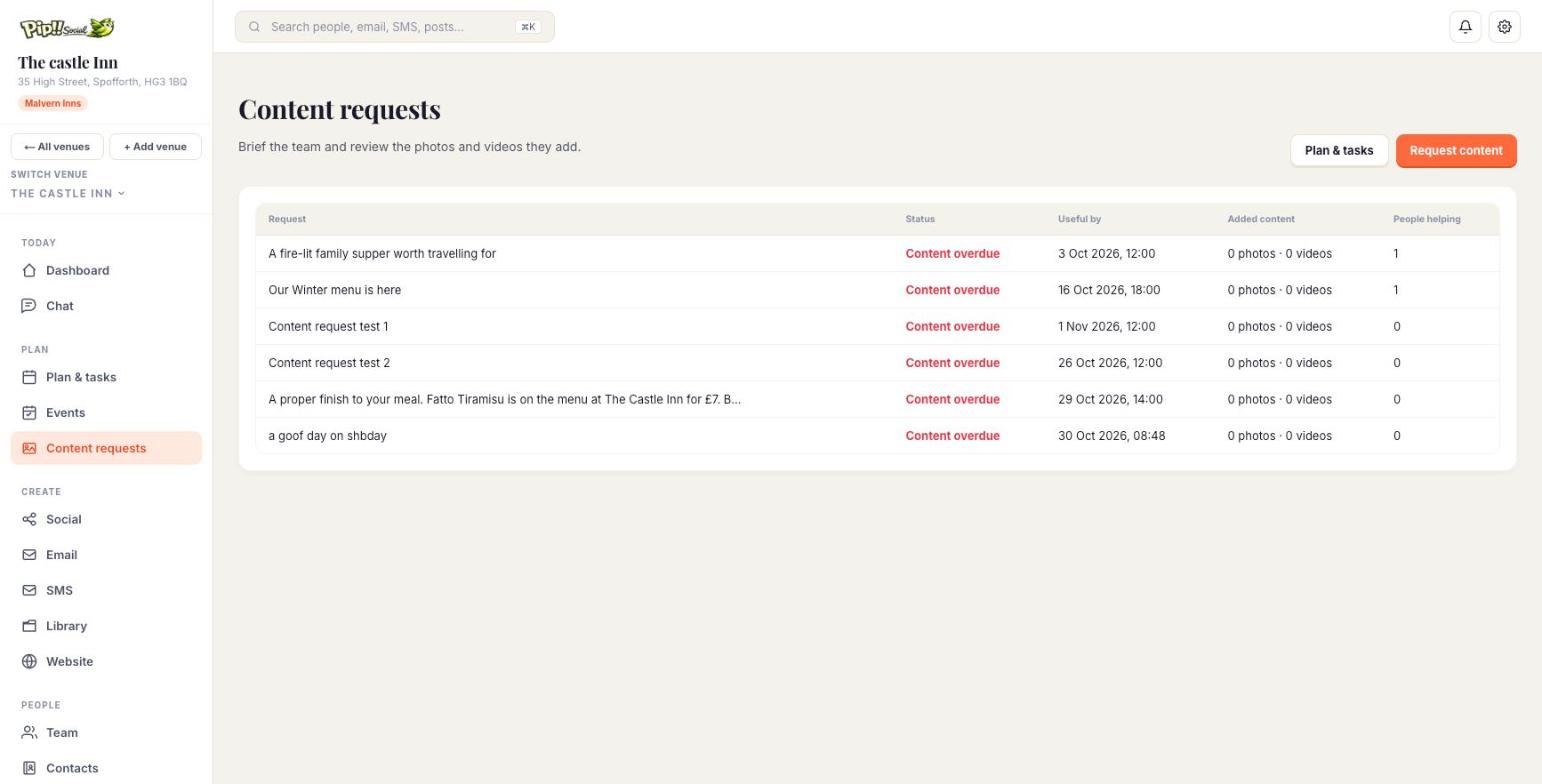
Select Content requests under Plan in the venue menu. The table lists every request with its status, the date the content is useful by, how many photos and videos have been added, and how many people are helping. A request shows Content overdue in red if nothing has arrived by its date. Select a request to review what the team has added.
Making a new request
Select Request content at the top right, then fill in two parts.
What do you need
What is it for: a short title, such as Our winter menu is here.
Capture brief: tell the team what you want and why.
Photos or video: choose Photos or Video.
Shot list: one shot per row. Select Add a shot for more, or Remove to delete one.
When and who
Useful by: the date and time you need the content. Times are UK time.
Who can help: Everyone, chosen people, or one person.
Who reviews the content: pick the person who checks what comes in.
Linked activities: optionally link the request to tasks in the plan.
Select Request content to send it to the team, or Save draft to finish it later. Cancel leaves without saving.
Getting there from the plan
You can also reach requests from Plan and tasks, using the Request content and Content requests buttons at the top of that page.