
Your monthly plan
Put on an event from HQ
Add an event for a venue in HQ and Pip drafts the event page, posts, emails and texts for you to review.
Your events
Select Events under Plan in the venue menu. You will see the venue's events as cards, split into three tabs: Coming up, Drafts and Past. Each card shows the event's photo, whether it is live, its date and time, and how guests book. Select Open on a card to manage that event, or use Find an event to search by name.
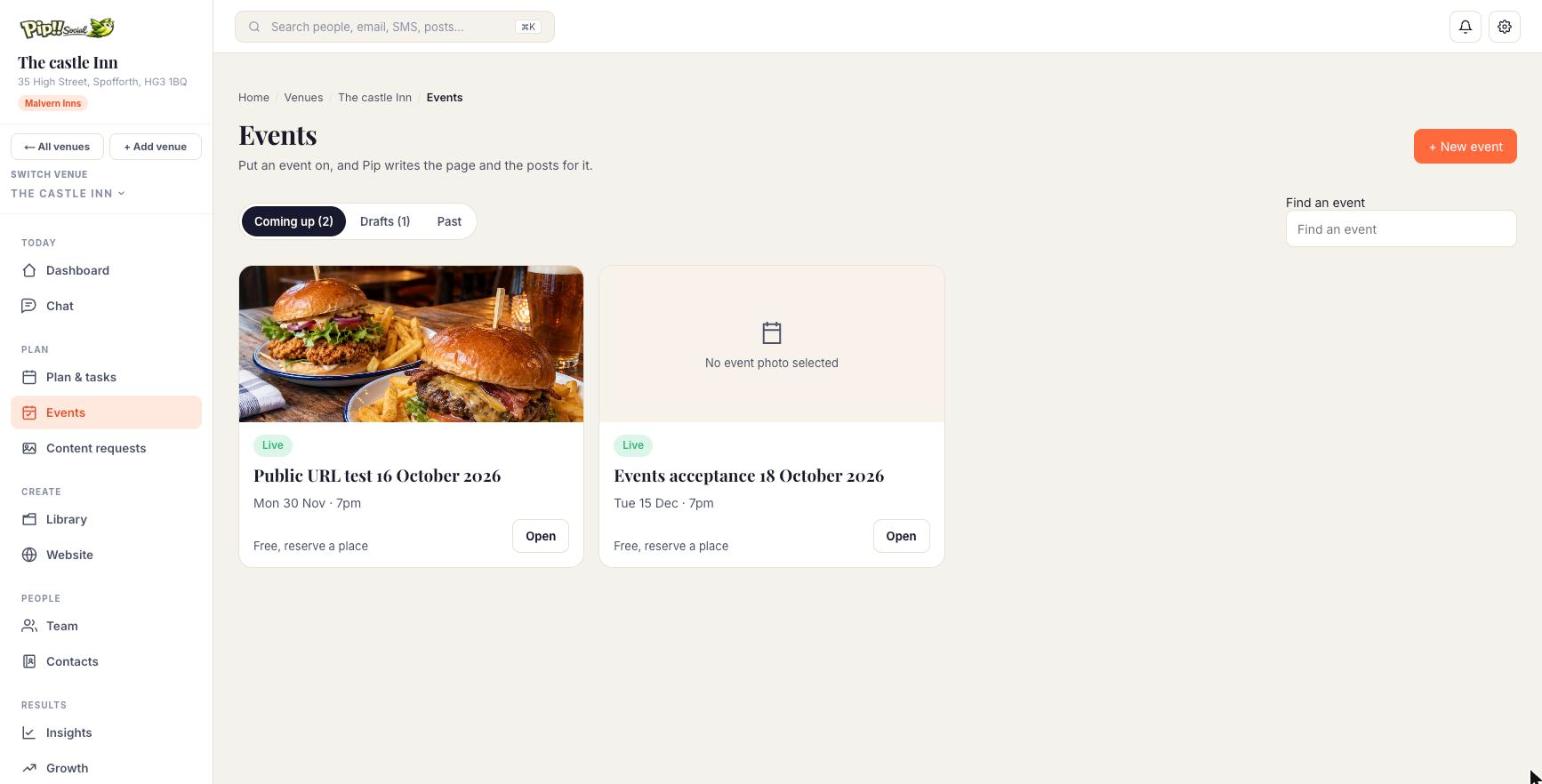
Adding an event
Select New event at the top right. Step 1 asks for the essentials:
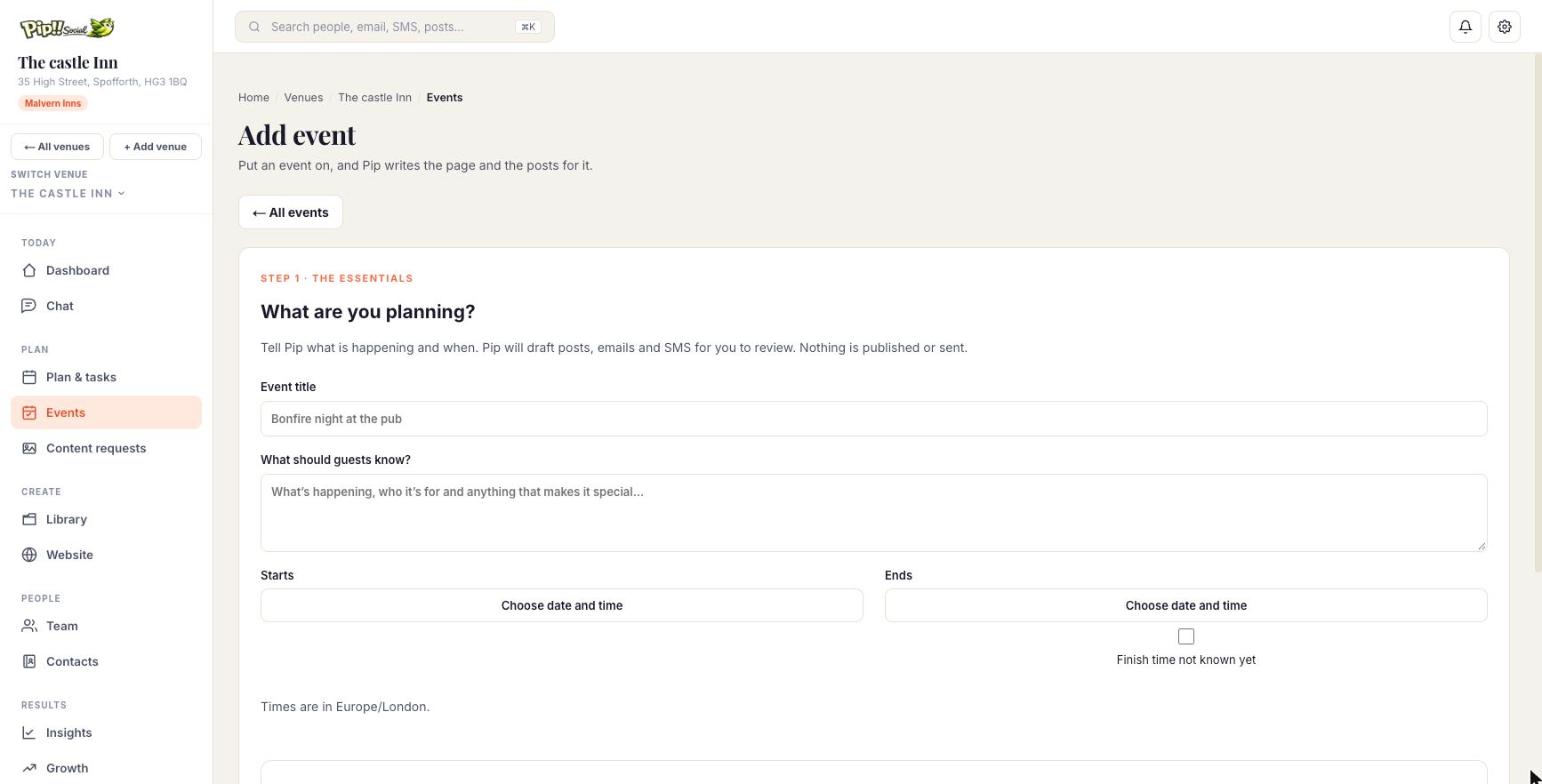
Event title: a short name, such as Bonfire night at the pub.
What should guests know: what is happening, who it is for and anything that makes it special.
Starts and Ends: choose the date and time. If you do not know the finish time yet, tick Finish time not known yet. Times are UK time.
Event options: choose whether it repeats weekly, fortnightly or monthly; how guests book (a free place on the event page, your own ticket link, just turn up, or contact the venue); any limit on places; and who on the team owns the event.
More details for Pip: anything else Pip should know. This is optional.
Select Add event and build plan. Pip drafts the event page and the posts, emails and texts to promote it. Nothing is published or sent until you review it. To stop without saving, select Cancel.
After the event
Finished events move to the Past tab, so you can look back at what you ran.