
Your monthly plan
See a venue's weekly plan and tasks in HQ
Plan and tasks shows each week's scheduled posts and tasks for a venue, who owns them, and how busy each channel is.
Where to find it
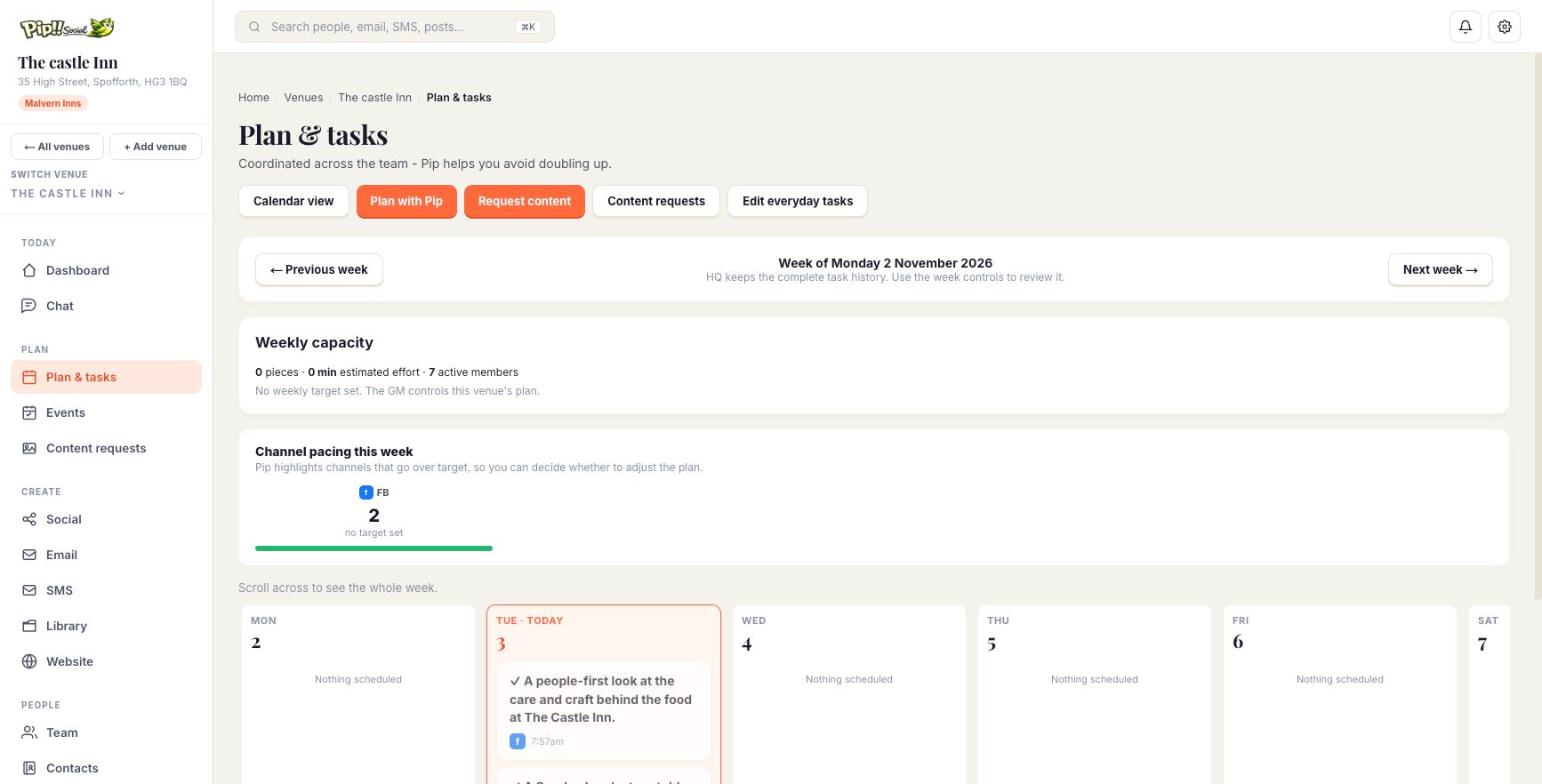
Select Plan and tasks under Plan in the venue menu. It shows one week at a time, so the whole team can see what is coming up and nobody doubles up.
The buttons at the top
Calendar view: see the plan as a calendar.
Plan with Pip: plan the venue's coming month with Pip.
Request content: ask a member of the team for a photo or video.
Content requests: see the requests already sent and what has come back.
Edit everyday tasks: change the regular tasks the team does each week.
Moving between weeks
Use Previous week and Next week to move through the plan. HQ keeps the full history, so you can look back at any earlier week.
Weekly capacity
This card shows how many pieces of content are planned this week, the estimated time they will take, and how many team members are active. If the venue has no weekly target, it says so. The venue's general manager controls the plan.
Channel pacing
This card counts what is planned on each channel, such as Facebook. Pip highlights any channel that goes over its target, so you can decide whether to spread things out.
The week
Each day of the week has its own column, with today highlighted. Each task shows what it is, the channel it is for and the time it is due. A tick means it is done. Scroll across to see the rest of the week.
Unassigned tasks
At the bottom, Unassigned shows any task this week that nobody owns yet, ready for someone to claim. If every task has an owner, it says so.